
Humanscale's Self-Service Order Lookup and Partner Portal
For instant access to your order information, including status, tracking numbers, and invoices, Humanscale has provided our partners with a Partner Portal.
Signing up is easy – please look for the link within your Purchase Order Acknowledgement and follow the instructions provided.
Access Now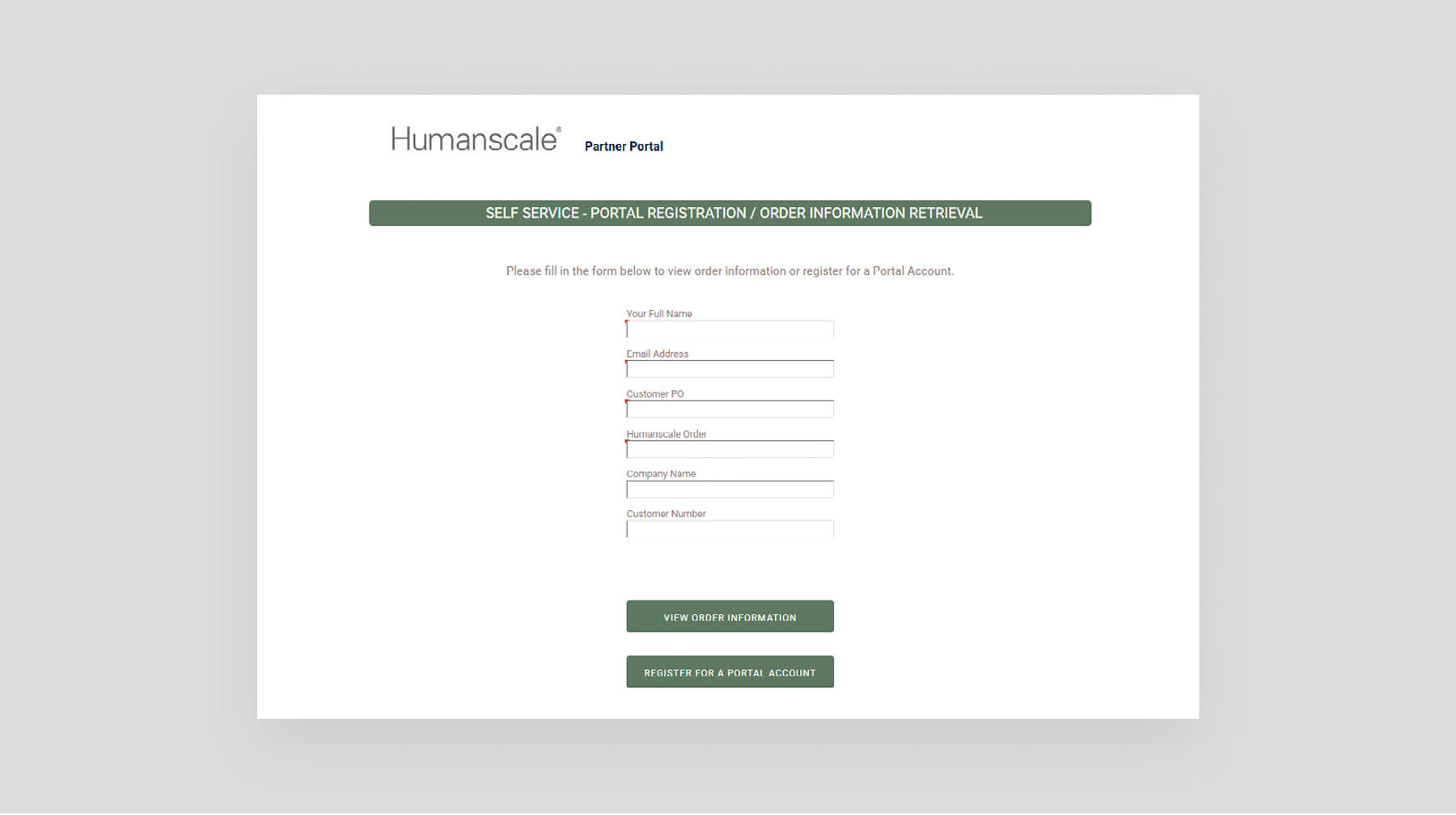
Accessing the Portal
Order Lookup
Humanscale features quick order lookup, providing quick access to individual order details without login. Your Humanscale acknowledgements will contain a link to the order lookup page. Once clicked, the form will pre-fill information from your acknowledgement. Click on the View Order Information button to view order details and obtain copies of your acknowledgements.
Creating a Partner Portal Account
To create an account, click on the order lookup link on your Humanscale order or shipping acknowledgement and click on the Register for a Portal Account button.
To ensure delivery, please add PostMaster@humanscale.com to your safe-senders list.
Logging Into the Partner Portal
Visit the Partner Portal login page, enter your User ID and Password, and then click on Sign In.
Forgot your User ID? Please visit our Partner Portal and click on "LoginSupport" to submit a request.
Partner Portal Home Page
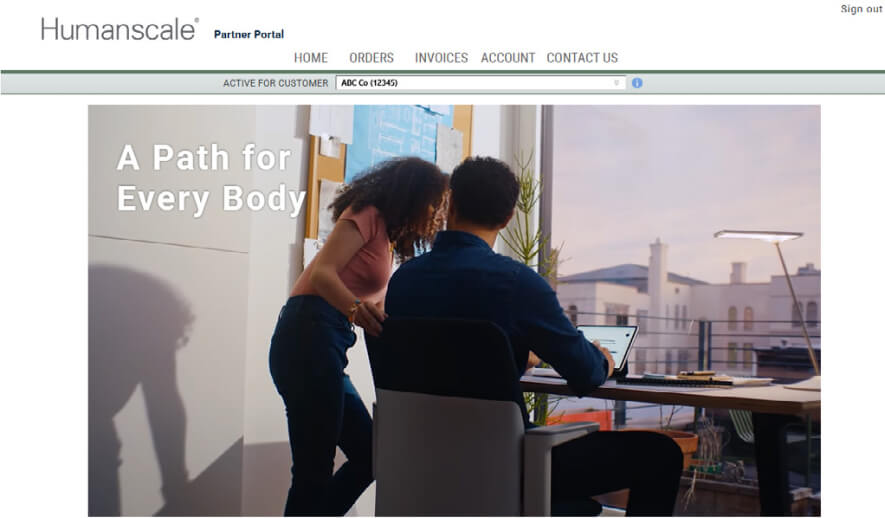
The Partner Portal home page provides quick access to recent orders and invoices.
View Order History
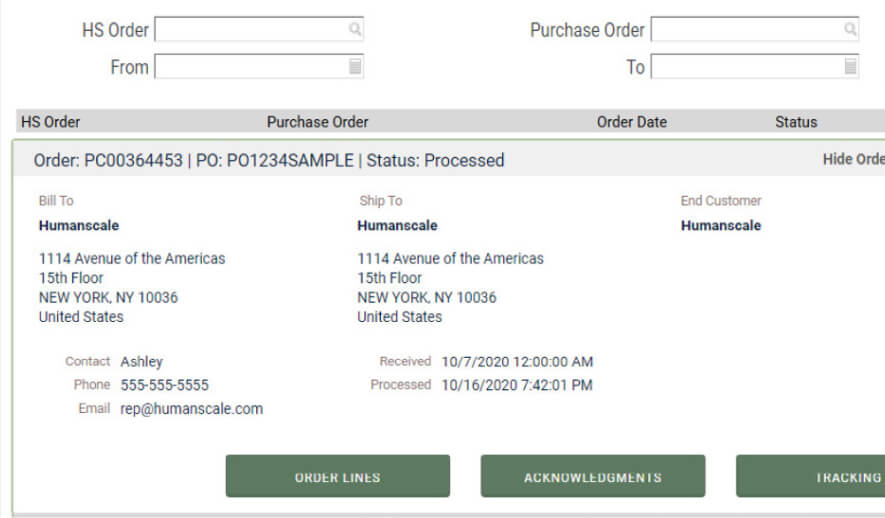
Click on Orders on the menu bar to view order history on your account. Results may be filtered by Order Number, Purchase Order Number and Order Date.
Click on an Order Number to view full order details and obtain copies of acknowledgements and tracking information.
View Invoice History
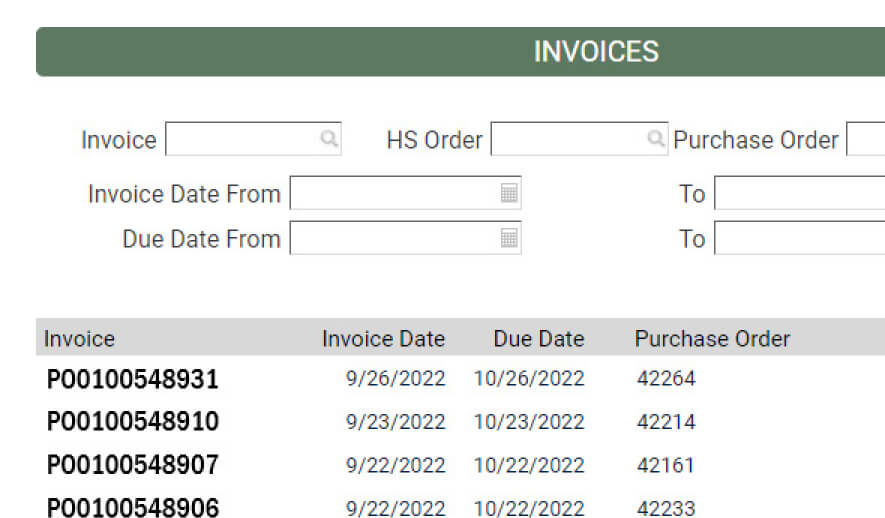
Click on Invoices to view invoice history and obtain invoice copies. Results may be filtered by Invoice, Order, or Purchase Order Number, and by Invoice or Due Date.
Click on the PDF icon in the Download column to download a copy of a selected invoice.
View and Update Account Details
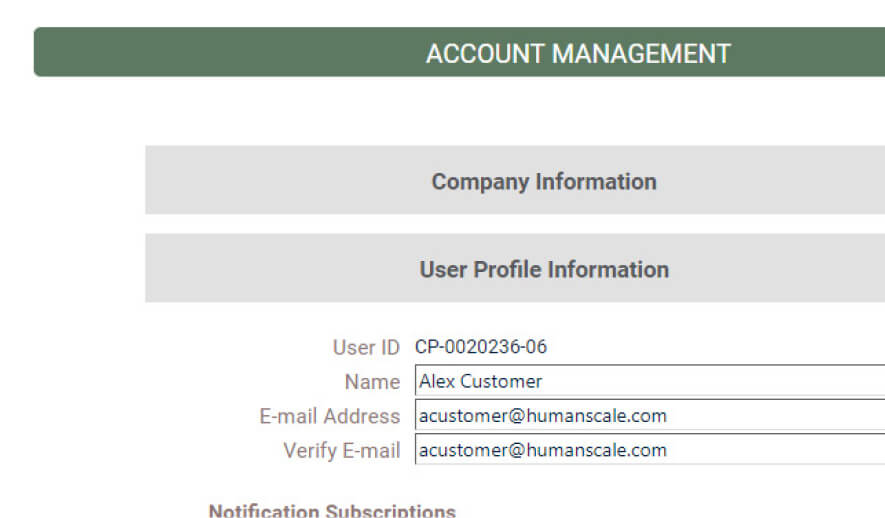
Click on Account to view Company Information, including Company Name, Account Number, and Billing Address.
Other features on this page include:
- User Profile Information: Update e-Invoice Delivery settings
- Change Password: Update your Partner Portal password
Our goal is to make your experience with this portal as easy and intuitive as possible.
If you need assistance, we're here to help.
Please visit the Humanscale Support Center or create a Humanscale Support Ticket.

